
No Agenda App1.7 - Get APK
You'll be able to download in few seconds.
Publisher Description
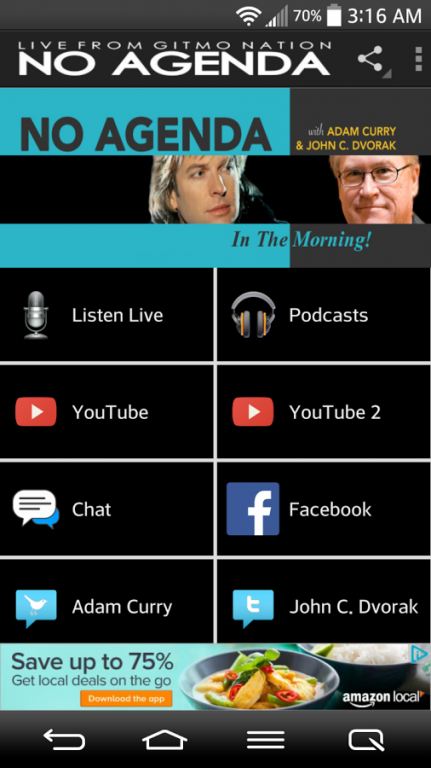
Unofficial Android Mobile App for the No Agenda Show & Network
No Agenda is a podcast which takes place two times a week on Thursday and Sunday in the morning, hosted by Adam Curry and John C. Dvorak on the mevio network. www.noagndashow.com The show is a free-flowing conversation that deconstructs recent news and media memes. Much of the appeal of the show comes from the odd couple relationship between the hosts. Adam Curry usually suggests theories about the news or world events, whereas John C. Dvorak is intended to present a more reasoned perspective, and as acting as the "Straight man" to Curry.
The show has no advertisers, instead relying on its listeners to voluntarily donate in either lump sums or a recurring plan. The show also relies on their listeners (known as "Producers") to provide artwork and audio clips. Numerous fan sites have sprung up to facilitate this interaction.
App Features:
Live Streaming Player
Listen, Download & Share Podcasts
YouTube Channel
Facebook
and more...
*All of our apps work with most all versions of Android Phones and Tablets.
***No Agenda App is a HijinxMedia app***
(This application uses Google Analytics to anonymously track usage data within the application.)
About No Agenda App
The company that develops No Agenda App is HijinxMedia. The latest version released by its developer is 1.7.
To install No Agenda App on your Android device, just click the green Continue To App button above to start the installation process. The app is listed on our website since 2015-05-17 and was downloaded 0 times. We have already checked if the download link is safe, however for your own protection we recommend that you scan the downloaded app with your antivirus. Your antivirus may detect the No Agenda App as malware as malware if the download link to com.andromo.dev220552.app220440 is broken.
How to install No Agenda App on your Android device:
- Click on the Continue To App button on our website. This will redirect you to Google Play.
- Once the No Agenda App is shown in the Google Play listing of your Android device, you can start its download and installation. Tap on the Install button located below the search bar and to the right of the app icon.
- A pop-up window with the permissions required by No Agenda App will be shown. Click on Accept to continue the process.
- No Agenda App will be downloaded onto your device, displaying a progress. Once the download completes, the installation will start and you'll get a notification after the installation is finished.
Program Details
System requirements
Download information
Pricing
Version History
version 1.7
posted on 2015-05-17
Version 1.7,Full Fix for YouTube channels,(Rebuilt to use YouTube Data API v3),Bug Fixes
version 1.7
posted on 2015-05-17
Disclaimer
External Download
We do not host No Agenda App on our servers. We did not scan it for viruses, adware, spyware or other type of malware. This app is hosted by Galad and passed their terms and conditions to be listed there. We recommend caution when installing it.
The APK Download link for No Agenda App is provided to you by apps112.com without any warranties, representations or guarantees of any kind, so access it at your own risk.
If you have questions regarding this particular app contact the publisher directly. For questions about the functionalities of apps112.com contact us.
